

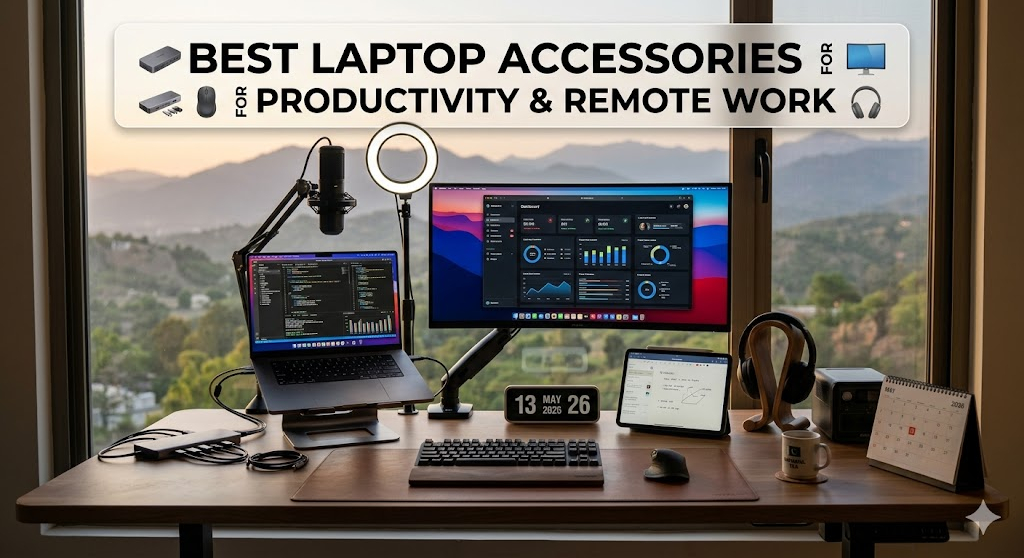
Remote work has evolved into a long-term global standard. Whether you're a freelancer, developer, digital marketer, or corporate employee, your productivity depends not only on your laptop—but also on the ecosystem you build around it.
A laptop alone is powerful, but it has limitations: small screens, limited ports, and ergonomic strain. The right accessories transform your laptop into a full professional workstation.
Let’s explore the must-have laptop accessories for productivity in 2026 that can upgrade your workflow instantly.
💻 1. USB-C Hub or Docking Station
A USB-C hub is the foundation of any productive workstation in 2026.
Modern laptops are thin and lightweight—but that often means fewer ports. A docking station solves this problem by expanding connectivity.
🔹 Why it matters:
- Connect multiple monitors
- Use USB drives, keyboards, and external storage
- Stable wired internet via Ethernet
- Fast charging with Power Delivery
🔹 Best use case:
Perfect for developers, designers, and office workers who use multiple devices daily.
💡 Productivity impact:
👉 Reduces cable switching
👉 Saves setup time
👉 Creates a desktop-like experience
🪑 2. Ergonomic Laptop Stand
A laptop stand is one of the simplest but most powerful productivity upgrades.
🔹 Benefits:
- Improves posture
- Reduces neck and back pain
- Keeps laptop cooler
- Raises screen to eye level
🔹 Why remote workers need it:
Long hours at a desk can cause “tech neck” and fatigue. A stand instantly fixes this issue.
💡 Productivity impact:
👉 Better focus
👉 Less physical strain
👉 Longer working hours comfortably
🖱️ 3. Wireless Keyboard and Mouse
Once your laptop is elevated, external input devices become essential.
🔹 Why you need them:
- Faster typing speed
- Better accuracy for design and coding
- Reduced wrist strain
- Cleaner desk setup
🔹 Ideal setup:
- Mechanical or low-profile keyboard
- Ergonomic wireless mouse
- Bluetooth or 2.4GHz connection
💡 Productivity impact:
👉 Improves typing efficiency
👉 Enhances comfort during long sessions
👉 Boosts workflow speed
🖥️ 4. Portable Monitor (Dual Screen Setup)
A second screen is one of the biggest productivity boosters in 2026.
🔹 Benefits:
- 20–30% productivity increase
- Easier multitasking
- Better workflow for coding, design, and research
🔹 Why it’s powerful:
Instead of switching tabs constantly, you can work on multiple windows simultaneously.
💡 Productivity impact:
👉 Faster workflow
👉 Better multitasking
👉 Improved focus
🎧 5. Noise-Cancelling Headphones
Remote work environments are often noisy—family, traffic, or cafés.
🔹 Key features:
- Active noise cancellation
- Clear microphone for calls
- Long battery life
🔹 Why it matters:
Improves concentration and makes online meetings more professional.
💡 Productivity impact:
👉 Eliminates distractions
👉 Improves communication clarity
👉 Enhances focus
💡 6. LED Desk Light / Monitor Light Bar
Lighting plays a huge role in productivity and eye health.
🔹 Benefits:
- Reduces eye strain
- Improves focus during night work
- Eliminates screen glare
💡 Productivity impact:
👉 Less fatigue
👉 Better visual comfort
👉 Longer work sessions
🧠 7. Cable Management Kit
A messy desk reduces focus and increases stress.
🔹 Includes:
- Cable clips
- Sleeves
- Under-desk trays
- Velcro straps
💡 Productivity impact:
👉 Cleaner workspace
👉 Less distraction
👉 Faster device access
🪑 8. Ergonomic Chair (Bonus Essential)
If you work long hours, your chair matters as much as your laptop.
🔹 Benefits:
- Better posture
- Reduced back pain
- Increased focus and stamina
💡 Productivity impact:
👉 Long-term health improvement
👉 Better work endurance
📊 Why Laptop Accessories Matter in 2026
Modern remote work requires more than just a laptop. Productivity depends on your environment.
Key improvements:
- 🧠 Better focus
- 💺 Improved ergonomics
- ⚡ Faster workflow
- 🖥️ Expanded screen space
- 🔌 Seamless connectivity
According to productivity research, dual-screen setups alone can increase output by up to 30%, while ergonomic accessories significantly reduce fatigue and work interruptions.
💼 Ideal Remote Work Setup (2026)
A complete setup looks like this:
- Laptop (MacBook / Windows ultrabook)
- USB-C Docking Station
- External Monitor or Portable Screen
- Wireless Keyboard + Mouse
- Noise Cancelling Headphones
- Laptop Stand
- Cable Management Kit
- Ergonomic Chair
This combination turns any small desk into a high-performance workstation.
💰 Amazon Affiliate Links (Quick Access)
Here are direct search links to help you find the best products:
- https://www.amazon.com/s?k=usb+c+docking+station
- https://www.amazon.com/s?k=laptop+stand
- https://www.amazon.com/s?k=portable+monitor
- https://www.amazon.com/s?k=wireless+mouse+keyboard
- https://www.amazon.com/s?k=noise+cancelling+headphones
- https://www.amazon.com/s?k=ergonomic+office+chair
🏁 Final Thoughts
The future of work is remote, flexible, and highly digital. In 2026, productivity is no longer just about working harder—it’s about working smarter with the right tools.
Investing in quality laptop accessories is not an expense—it’s a productivity upgrade that pays for itself in time, comfort, and efficiency.
Whether you’re a freelancer, student, or corporate professional, building the right setup will completely transform your work experience.




No comments yet. Be the first to comment!